▦
Visual weekly roster
See employees and seven days together, then add or edit a shift directly in the right cell.
- Start and end time
- Role, location and note
- Department filter
Plan shifts by employee, department, role and location, then publish the week so every person has one clear view of when and where they work.
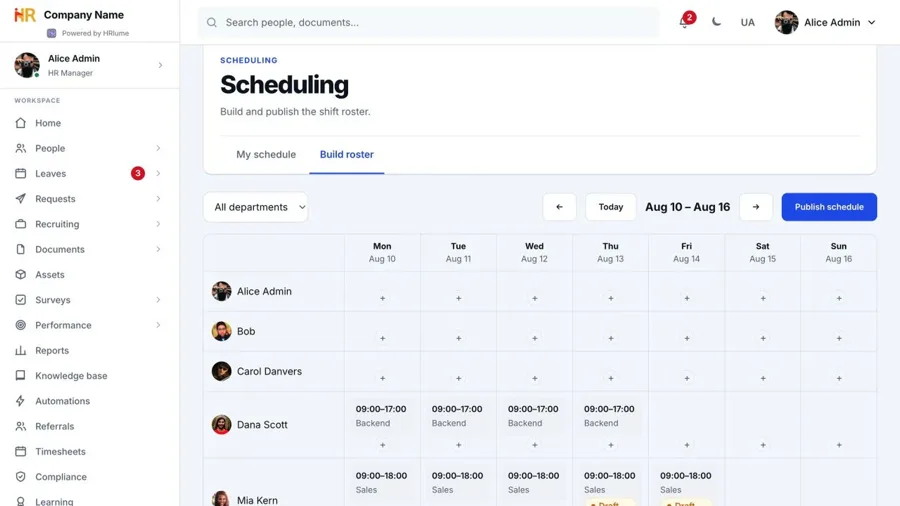
Managers build the schedule across a seven-day grid and can filter the roster to the department they are working with.
Employees see their own published shifts with time, role, location and notes — without opening the full planning board.
Keep operational planning useful without exposing management controls to everyone.
See employees and seven days together, then add or edit a shift directly in the right cell.
Prepare the schedule as a draft and publish the selected week or department only when it is ready.
Employees navigate week by week and see only their own published shifts.
Every shift can carry the information a person needs before the workday begins.
Roster building and publishing stay limited to authorised managers and HR roles.
Plan, publish and review shifts in the same employee workspace.
Start your free workspace